

Your Team Has Claude. Let’s Put It to Work.
The Claude Cowork Training is Ampra’s hands-on implementation program. We train your team on Claude’s Cowork features, configure it live, and apply it directly to your real business workflows inside Claude.
Choose your path: self-serve access, a live group cohort, or private 1-on-1 implementation.
Most Teams Use Claude. Few Use It Well.
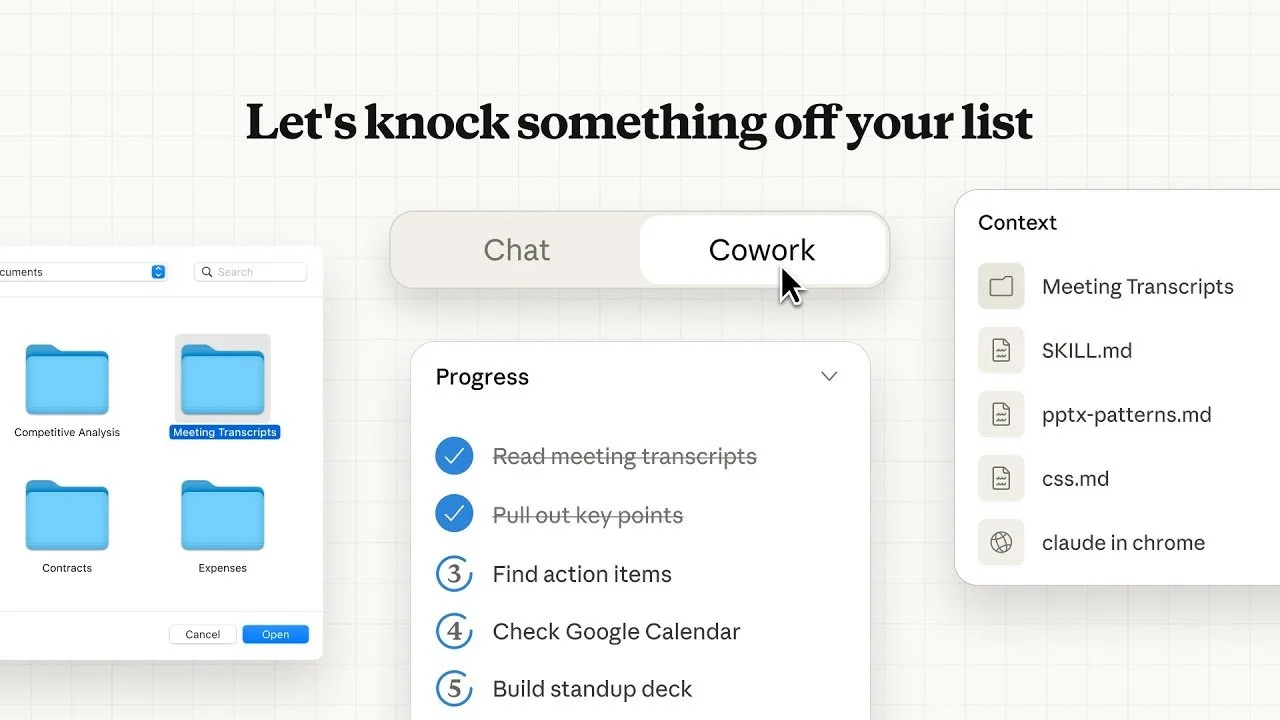
You may already be using Claude as your primary LLM. For good reason. It writes well, reasons clearly, and has powerful features.
But Claude Cowork is a different layer entirely.
Projects.
Skills.
Parallel agents.
Scheduled tasks.
Workflow design.
These features can change how your team operates day to day.
The gap isn’t access. It’s knowing how to structure it, configure it properly, and apply it to real work instead of one-off prompts.
That’s what this training is built for.
The Curriculum
This isn't a generic AI overview. We go deep into how Claude Cowork works and then we build.
Claude in Chrome
Scheduled Tasks
Connect Claude to the tools your team already uses: Google Drive, Gmail, Calendar, Microsoft 365, your CRM, and more. Get everything configured properly from day one.
Account Setup & Connectors
Learn how to structure Claude Projects for specific functions, sales, ops, content, finance and set them up with the right context so every output is on-brand and accurate.
Projects & Custom Instructions
Skills are reusable workflows you teach Claude to run on command. We'll show you how to build them, test them, and stack them so one prompt can kick off an entire process.
Skills
One of the most powerful and underused features in Cowork. Send 10 tasks running at the same time: draft follow-up emails to five clients, pull research from three sources, generate multiple variations of a proposal. All at once.
Parallel Agents
Use Claude as a live browsing agent. Open tabs, pull data, summarize pages, and interact with web-based tools — all from a single instruction.
Claude can build and test its own Skills. We'll show you how to use the Skill creation wizard so your team can keep building without needing to come back to us.
The Skill Builder
Set it and let it run. We'll cover how to use scheduled tasks to automate recurring work: daily summaries, weekly reports, follow-up reminders, and more.
Three Ways to Join: Choose Your Path
There's no one-size-fits-all when it comes to AI adoption. We've built three options so every kind of team can get started.

Self-Serve Access
Get access to our growing library of pre-built Skills, step-by-step setup guides, and a community of people using Claude Cowork in their businesses. As the tool evolves, and it is evolving fast, you'll receive regular updates on new features and practical breakdowns of what's worth your attention.
This is the self-directed path. No live sessions, no hand-holding. Just the resources, the community, and the knowledge to move at your own pace.
Best for: Teams who prefer to learn independently and want to stay current as Claude Cowork develops.
$49/month

Group Cohort
Everything in Self-Serve, plus two live group training sessions per month and open office hours where you can bring real questions from your actual work. Sessions are structured around the same curriculum as the private training, delivered in a group setting.
You're learning alongside other business owners working through the same challenges. More guided than self-serve, more accessible than private sessions.
Best for: Teams who want live instruction and accountability without the investment of 1-on-1 time.
$400/month
1-on-1 Private Training

Two 90–120 minute working sessions inside your Claude account, built around your team's actual workflows. Session 1 covers setup, connectors, Projects, and your first Skills. Session 2 focuses on real workflow implementation based on what your team discovered in between.
Everything is live inside your account. No generic demos, no slides. Includes session recordings, notes, and all pre/post correspondence.
Best for: Teams who want expert guidance, a properly configured setup, and working use cases by the end of the second session.
$3,000; Two sessions

Right for You If…
You’re already using Claude and want to go deeper
You’ve heard about Cowork but haven’t structured it properly
You want hands-on help setting it up
You’re ready to move from experimenting to operationalizing AI
You want your team building real workflows not just better prompts
Not the Right Fit If…
You’re brand new to Claude or still getting comfortable with prompting basics.
In that case, our AI Training for Teams is the better starting point.





Claude Cowork Module vs. AI Training for Teams
AI TRAINING FOR TEAMS
60-90 minute interactive sessions
Build AI confidence and literacy
Tools, prompting, awareness
Ampra teaches
Knowledge, frameworks and tools to get started
Teams new to AI
FORMAT
GOAL
FOCUS
APPROACH
OUTPUT
BEST FOR
Self-serve, group cohort or private 1-on-1
Implement Claude Cowork inside real workflows
Projects, Skills, agents, structured workflows
We build live together
Configured setup + working use cases
Teams ready to operationalize Claude
CLAUDE COWORK
FAQs
Do we need to already be using Claude?
Yes. This training assumes basic familiarity with Claude’s standard interface. If your team is just getting started with AI, the AI Training for Teams program is the right first step.
Do we need a paid Claude plan?
Yes. Claude Cowork features are available on paid plans. At minimum, key team members should have a Claude Pro plan, currently about $20 per month.
What if we already have Cowork set up?
Perfect. We’ll spend less time on setup and more time refining use cases, structuring Skills, and strengthening workflows. The sessions are tailored to your starting point.
How far apart are the two private sessions?
We typically recommend spacing them about two weeks apart. That gives your team time to experiment and come back with real questions and examples. We’ll send a survey prior to the second session to gather insights and start planning for the second session.
What's in the Skills library for self-serve and cohort members?
The library grows over time. Currently includes Skills for meeting recaps, lead research, email drafts, proposal templates, reporting summaries, and more. New Skills are added regularly and you'll receive updates when they drop.
Why is Claude Cowork changing so fast?
Because it just launched and Anthropic is iterating quickly. The parallel agents feature, the Skill creation wizard, scheduled tasks — these all came out in the last few months. The community and cohort are specifically designed to keep you current as it evolves.
Example Business Use Cases
Here are a few ways teams are using Claude Cowork after this training:
Strategic Analysis of Large Data Sets
Create a dedicated Strategy Project where you upload exports from your CRM, accounting software, etc. Then use Skills to analyze trends, identify outliers, surface risks, and summarize key insights for leadership. Instead of staring at spreadsheets, you get structured analysis that supports clearer, faster strategic decisions.



These aren’t theoretical examples. They’re the kinds of workflows we build live during the sessions.
Sales Proposal Creation
Create a dedicated Sales Project that stores your positioning, pricing models, case studies, and past proposals. Use Skills to turn discovery call notes into tailored PDF proposals, scope documents, and executive summaries in minutes. Improve consistency, reduce drafting time, and keep messaging aligned with your brand.
Monthly Reporting + Executive Updates
Build a Reporting Project that houses your KPIs, recurring metrics, and board-level context. Use Skills to transform raw data and team updates into structured monthly reports, leadership summaries, and client-ready performance recaps. Faster reporting, clearer insights, less copy and paste.
Ready to Go Deeper?
Claude Cowork is the most powerful thing in your AI stack right now. Most teams have barely scratched the surface.
Pick the path that fits where you are and let's start building.
Not sure if this is the right next step? Take our AI Readiness Audit or explore our other training programs.